Order processing
A web app posts an order to the API, which queues it for workers that write it to the orders database.
Static images
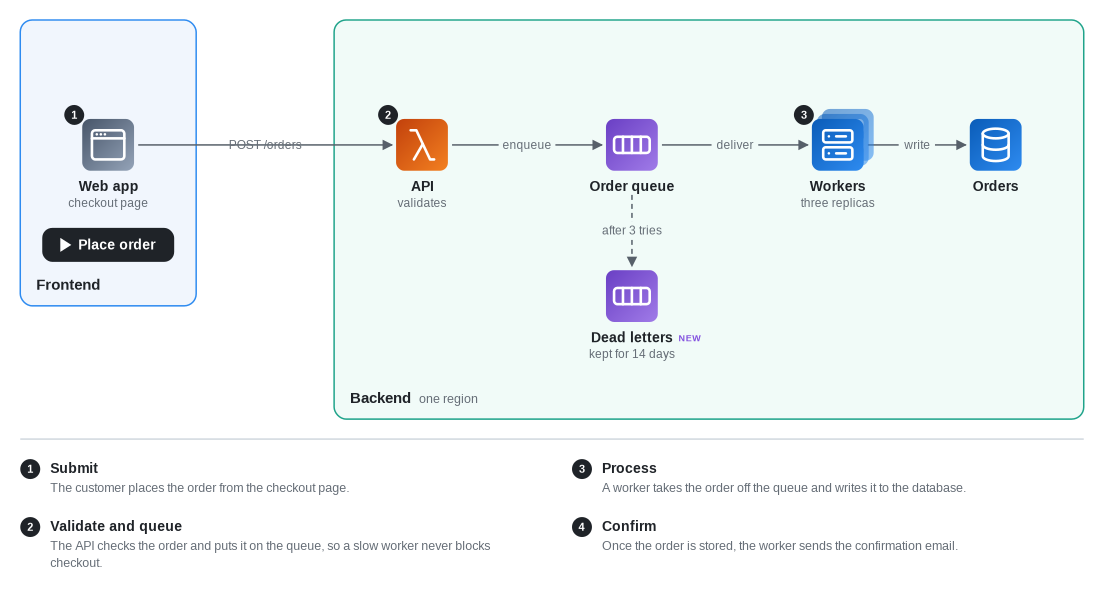
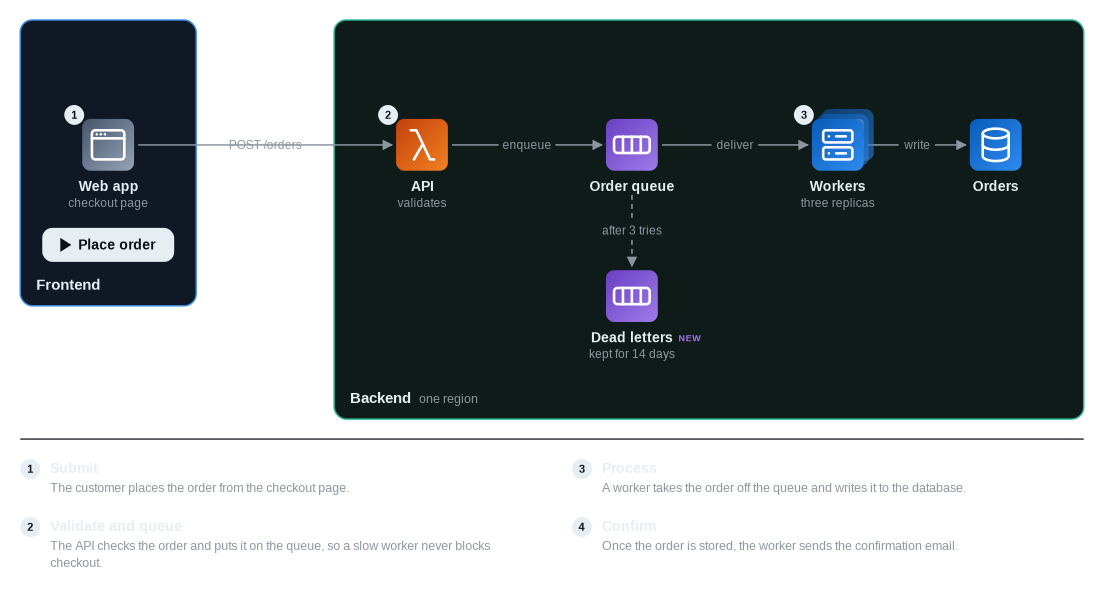
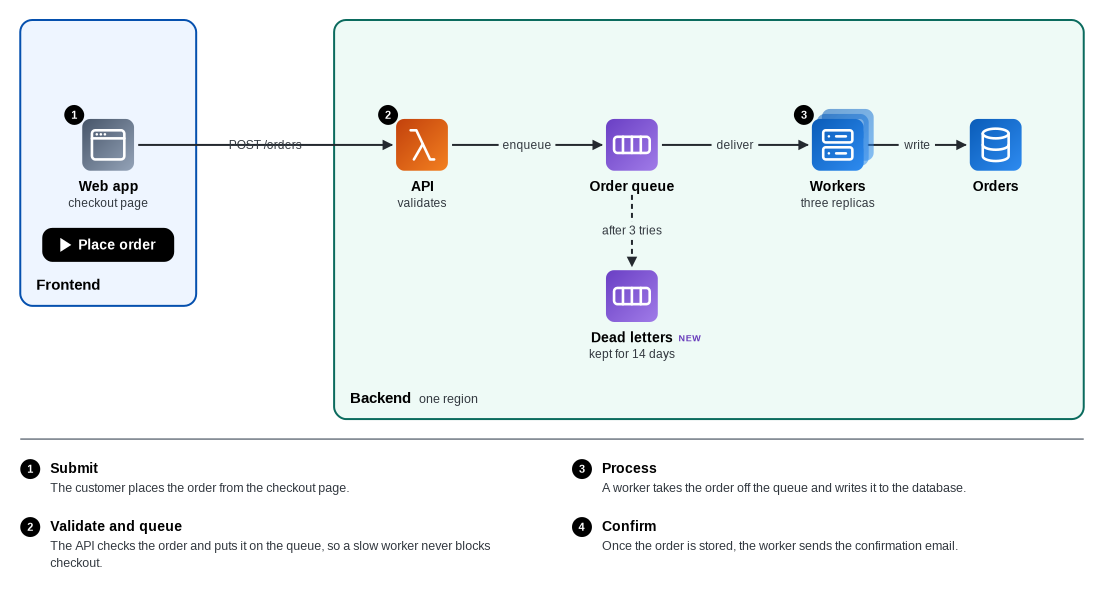
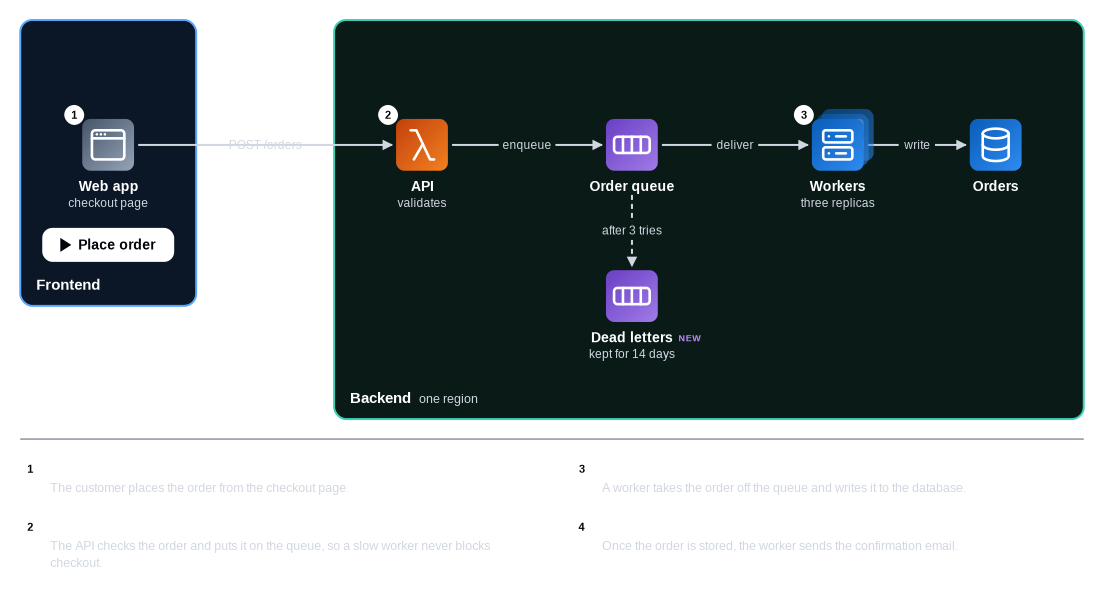
The same diagram in the built-in contrast theme (diagr build --theme contrast), in the site's light or dark
scheme.
Source
version: 1
title: Order processing
description: A web app posts an order to the API, which queues it for workers that write it to the orders database.
grid: {col: 200, row: 170}

groups:
  front:
    title: Frontend
    nodes:
      web: {icon: browser, title: Web app, sub: checkout page}
  back:
    title: Backend
    sub: one region
    nodes:
      api:    {icon: function, title: API,          sub: validates}
      queue:  {icon: queue,    title: Order queue}
      worker: {icon: server,   title: Workers,      sub: three replicas,   stack: 3}
      db:     {icon: database, title: Orders}
      dlq:    {icon: queue,    title: Dead letters, sub: kept for 14 days, mark: new}
      mail:   {icon: mail,     title: Email,        sub: confirmation,     hidden: true}

edges:
  web    -> api:    POST /orders
  api    -> queue:  enqueue
  queue  -> worker: deliver
  worker -> db:     write
  queue  --> dlq:   after 3 tries
  worker -> mail:   {label: notify, hidden: true}

scenario:
  loop: true
  trigger: {at: web, label: Place order}
  ready: One order, from checkout to confirmation.
  end: Order stored and confirmed.
  steps:
    - Submit:
        at: web
        text: The customer places the order from the checkout page.
        do: [flow web 600ms -> api]
    - Validate and queue:
        at: api
        text: The API checks the order and puts it on the queue, so a slow worker never blocks checkout.
        do: [activate api 800ms, api.sub: order is valid, flow api -> queue]
    - Process:
        at: worker
        text: A worker takes the order off the queue and writes it to the database.
        do: [flow queue -> worker 1200ms -> db 600ms done]
    - Confirm:
        at: mail
        text: Once the order is stored, the worker sends the confirmation email.
        # Drawing the hidden edge brings it and the email node out.
        focus: [worker, mail]
        do: [draw worker -> mail, run mail 1000ms]